API Access
Tenderwell provides a RESTful API that allows clients to programmatically search and read tenders and related documents. This access is designed for developers who need to integrate tender data into their own applications or workflows.
The API is a paid add-on to the Tenderwell subscription plans.
Overview
The API is published as a Swagger UI documentation, which provides a complete reference for all available endpoints, request parameters, and response formats.
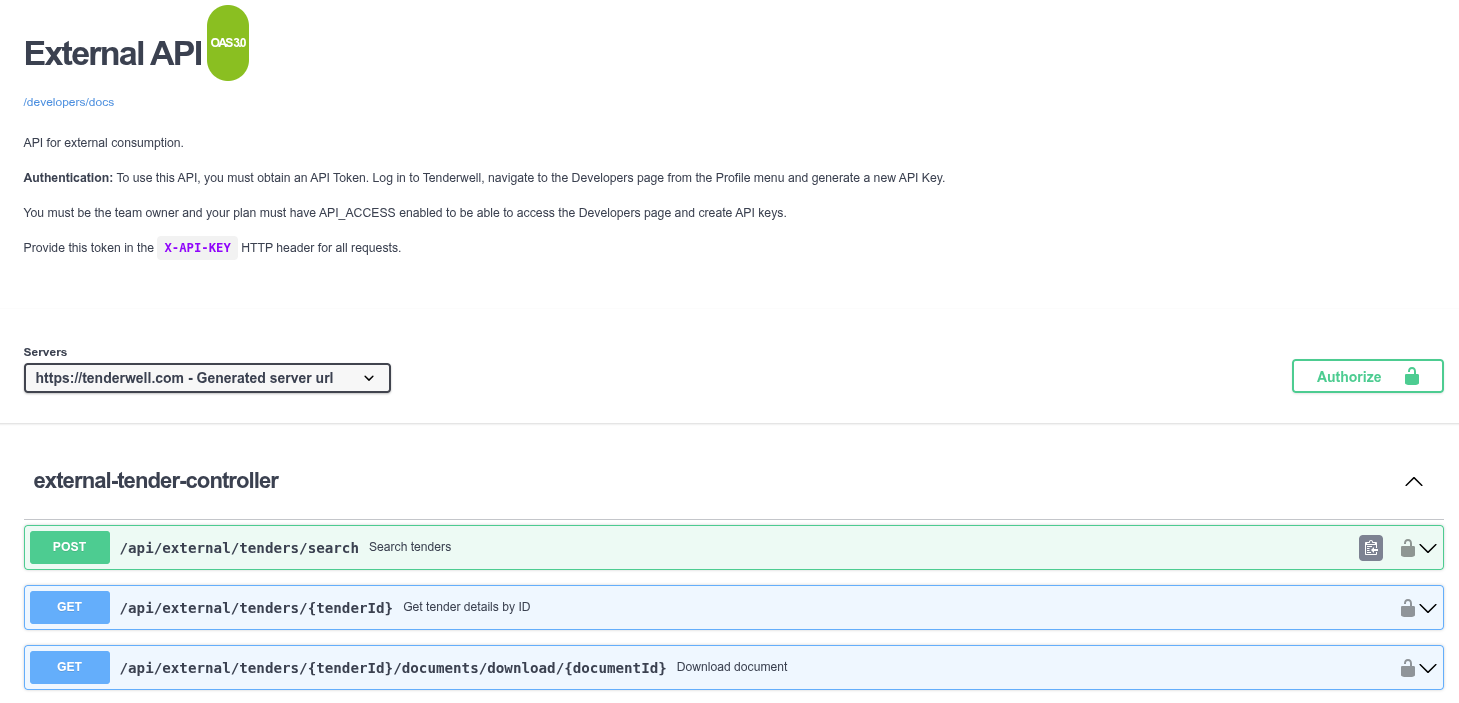
Authentication
Requests to the API must be authenticated using an API Token. The API Token is a unique identifier that is associated with your Tenderwell account. It is used to identify and authenticate your requests to the API.
To generate an API Token, you must be a Team Owner and have an active subscription plan with the API Access permission enabled.
Obtaining an API Token
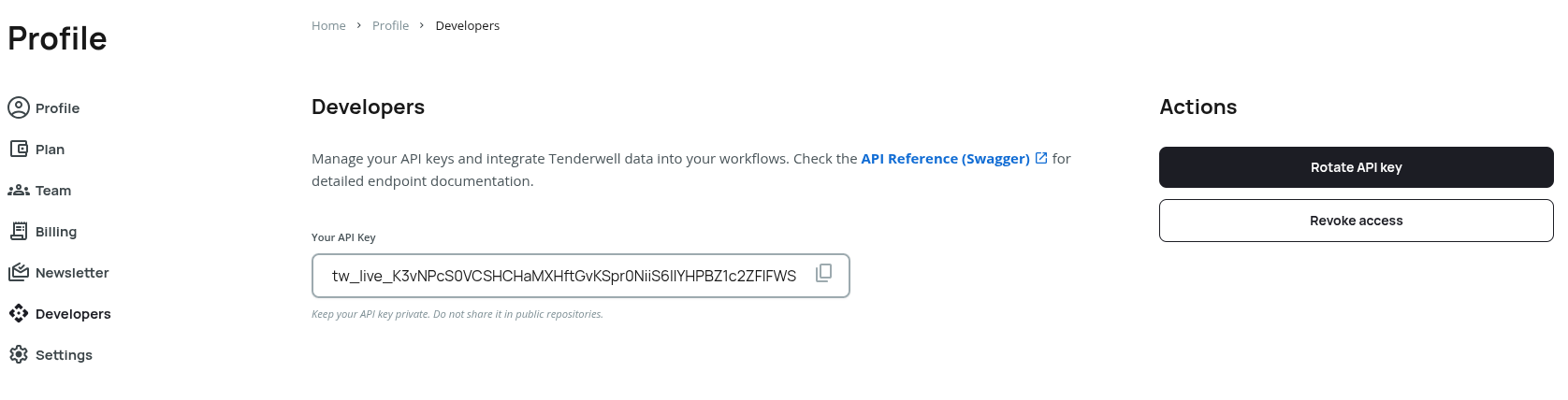
API Tokens are managed via the Developers view in your user profile. This view is visible only to Team Owners and only if your subscription plan includes the API Access permission.
- Navigate to your Profile.
- Click on the Developers tab in the sidebar.
- Here you can generate, view, or rotate your API Token.
Using the API Token
All API requests must include the API Token in the X-API-KEY header.
Example:
curl -X 'GET' \
  'https://tenderwell.com/api/external/tenders/2309146' \
  -H 'accept: */*' \
  -H 'X-API-KEY: [API_KEY]'
To access the TenderWell API, the following conditions must be met:
- Valid Plan: Your team must have an active subscription plan.
- API Permission: API access is sold as a separate permission within the Plan. Ensure your subscription includes the "API Access" feature.
Plan Limits
API usage is subject to limits defined by your subscription plan. These limits are applied at the Team Level:
- Daily Search Limit: Maximum number of search requests allowed per day.
- Daily Read Limit: Maximum number of tender/document read requests allowed per day.
If you exceed these limits, the API will return a 429 Too Many Requests status code.
Support
For technical assistance or questions regarding API integration, please contact our support team.