How to Register
On Tenderwell we offer multiple ways to create accounts. You can opt between using SSO solutions such as Google or Azure, DevelopmentAid or the Registration form.
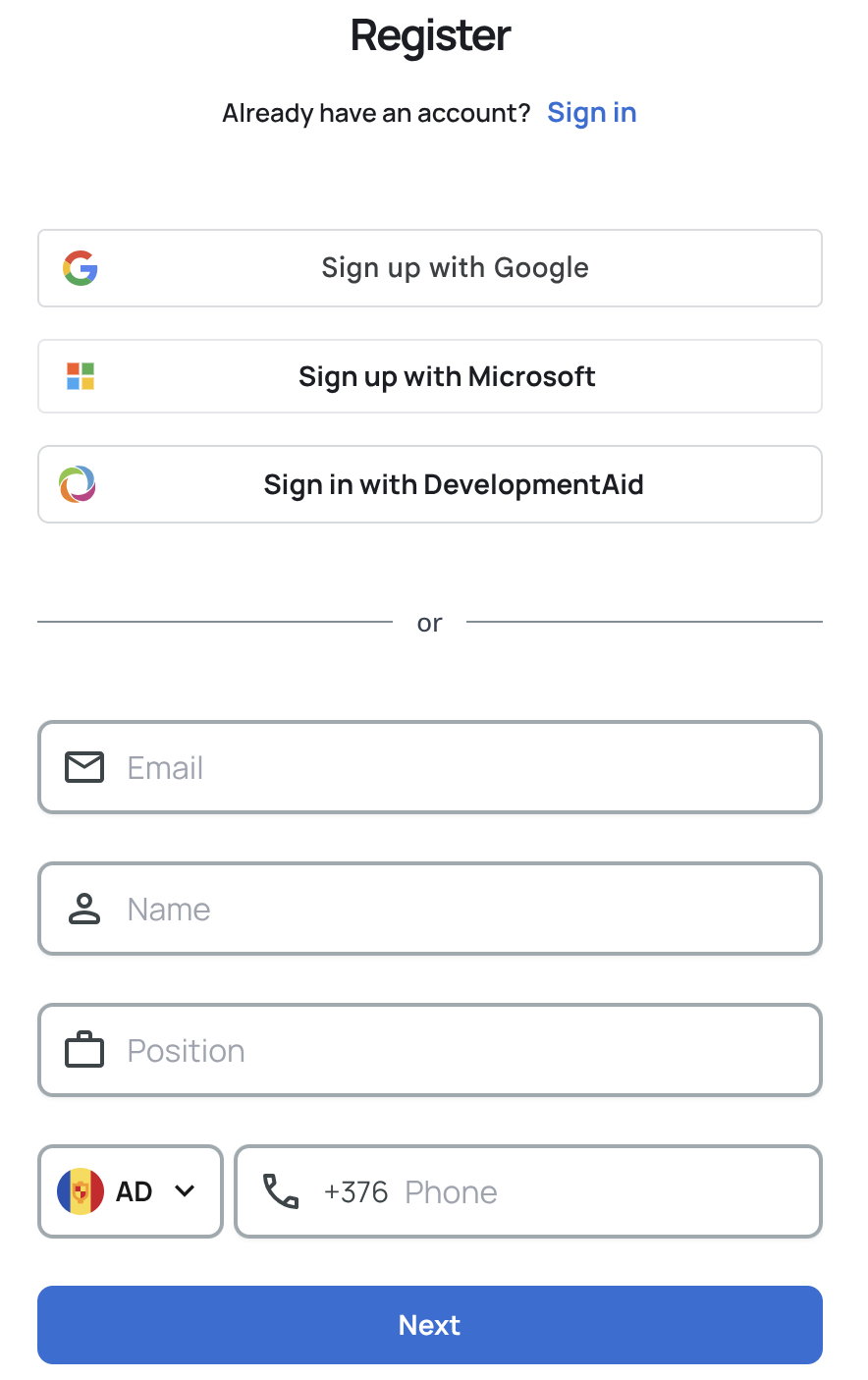
Registration form
The registration form is a simple form that allows you to create an account. There are 2 steps: Personal details and Password Creation.
Not all fields are required. However, providing them at registration will make it easier for us to manage your account later on.
Once you submit the form we will send you an email with a link to verify your account. Click on the provided link to verify your account.
Once verification is complete you will be able to log in and use your account. All new accounts come with a Free Plan which offers limited access to our services.
Sign up with Google

Using the "Sign up with Google" button you can create your account using your Google account. You will not be required to set a password and your email will be automatically verified. We will require some additional details and then you will be able to log in and use your account.
Sign up with Microsoft

Using the "Sign up with Microsoft" button you can create your account using your Microsoft account. Your email will be automatically considered verified and you will not be required to set a password.
Sign in with DevelopmentAid

Using the "Sign in with DevelopmentAid" button you can sign in using your DevelopmentAid account. This option requires you to already have an account on DevelopmentAid.
Upon clicking the button you will be prompted for your DevelopmentAid username and password.
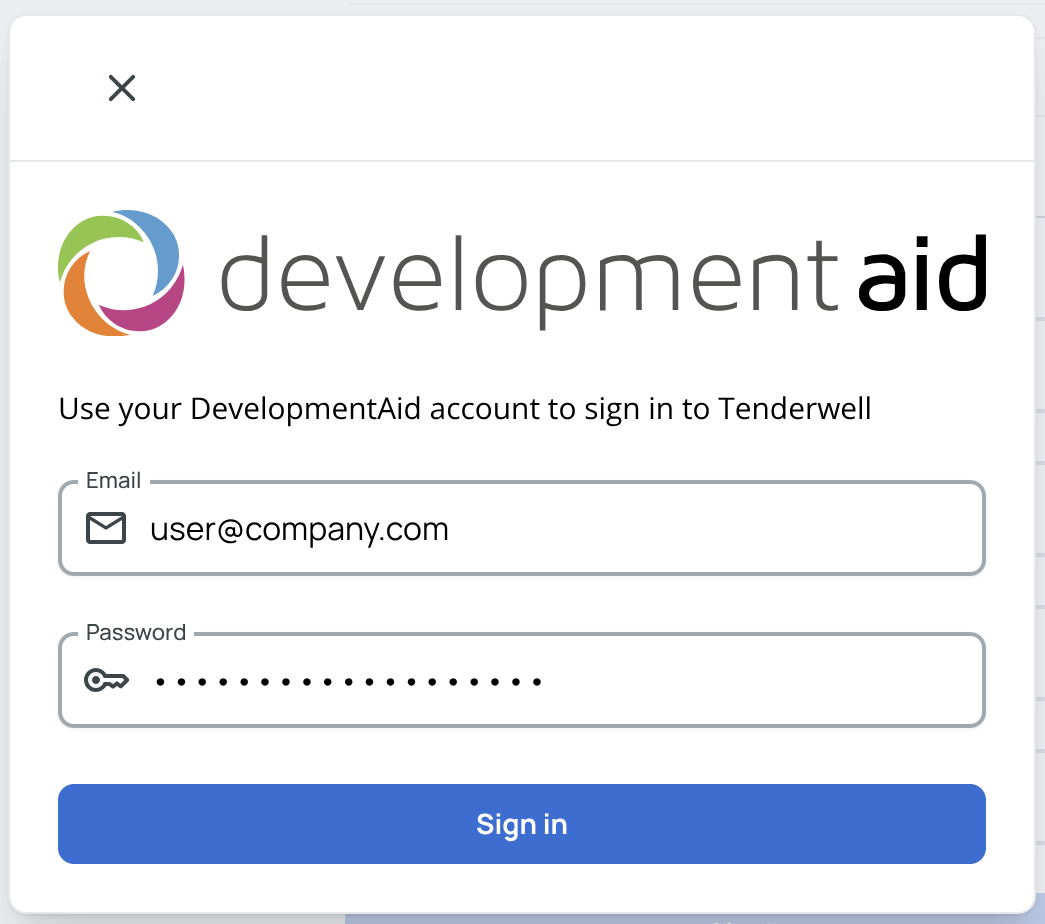
Your account will then be automatically created and verified based on your DevelopmentAid account details. If you have a DevelopmentAid subscription which includes Tenderwell access we will automatically provision your account for you. You will then be able to enjoy your upgraded subscription.
Troubleshooting
If you encounter any issues while trying to register, please try the following steps:
- Ensure you are using the correct registration method (Tenderwell, Google, Microsoft, or DevelopmentAid).
- Check that your internet connection is stable.
- Clear your browser cache and cookies.
- Try registering again with a different browser or device.
- If you're still having trouble, contact Tenderwell support with the following information:
- Open your developer console (F12 or right-click and select "Inspect").
- Try to register again.
- Dump the console logs and any network requests related to the registration process.
- Send the generated .har file to support@tenderwell.com along with a description of the issue you're facing.
- Our team will investigate and get back to you as soon as possible.
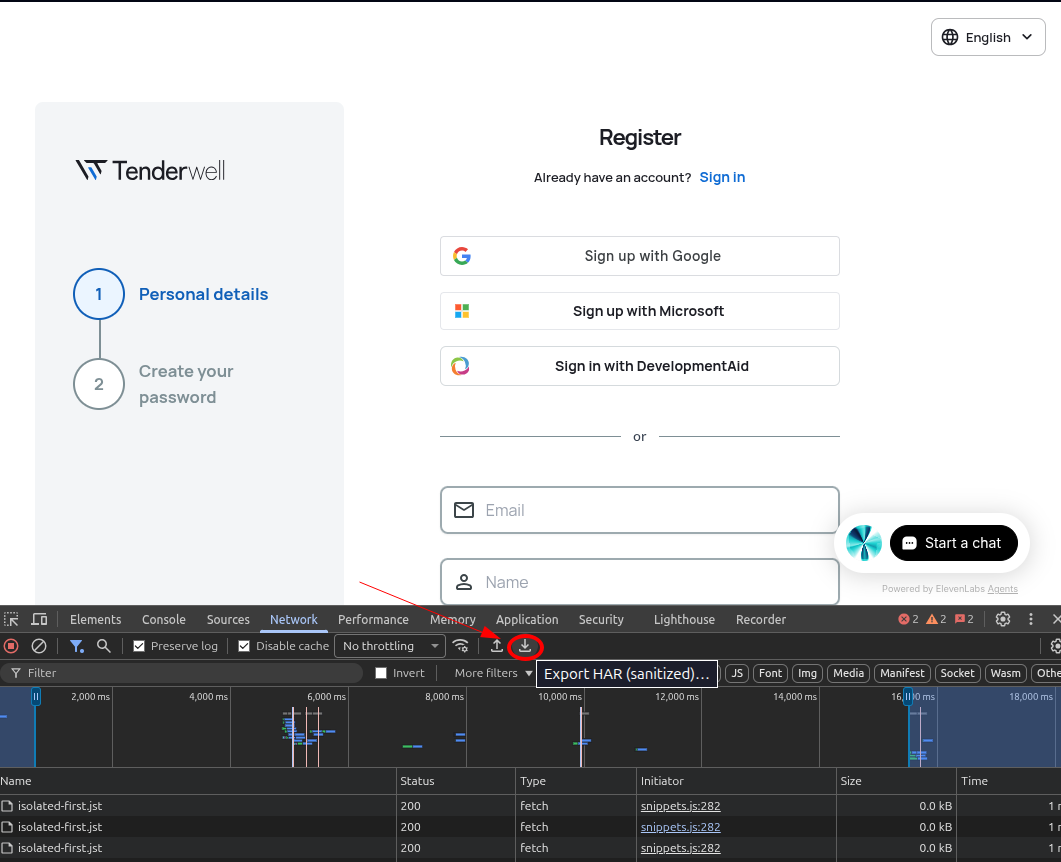
To export a .har file, go to the "Network" tab in your developer console, click on the down arrow icon (Export HAR) and save the file to your computer. See the red circle in the image below for reference.
The .har file may contain sensitive information such as authentication tokens or personal data. Please review the file before sending it to ensure that you are comfortable sharing its contents with Tenderwell support. Some browsers may offer options to redact sensitive information when exporting .har files, but this behavior should not be assumed as the default.